Initial captured content doesn’t need to be panoramic photography, 360 video is another popular medium. When creating 360 degree content, flat or normal photos and videos are also used.
During project story boarding the properties and behavior of each content type or asset must be carefully considered.
Ensuring a positive user experience also requires additional planning to adapt or allow for delivery platform capabilities.[/vc_column_text][/vc_column][vc_column column_padding=”no-extra-padding” column_padding_tablet=”inherit” column_padding_phone=”inherit” column_padding_position=”all” background_color_opacity=”1″ background_hover_color_opacity=”1″ column_shadow=”none” column_border_radius=”none” column_link_target=”_self” gradient_direction=”left_to_right” overlay_strength=”0.3″ width=”1/3″ tablet_width_inherit=”default” tablet_text_alignment=”default” phone_text_alignment=”default” column_border_width=”none” column_border_style=”solid” bg_image_animation=”none”][image_with_animation image_url=”8552″ animation=”Fade In” hover_animation=”none” alignment=”” border_radius=”none” box_shadow=”x_large_depth” image_loading=”default” max_width=”100%” max_width_mobile=”default”][vc_column_text]
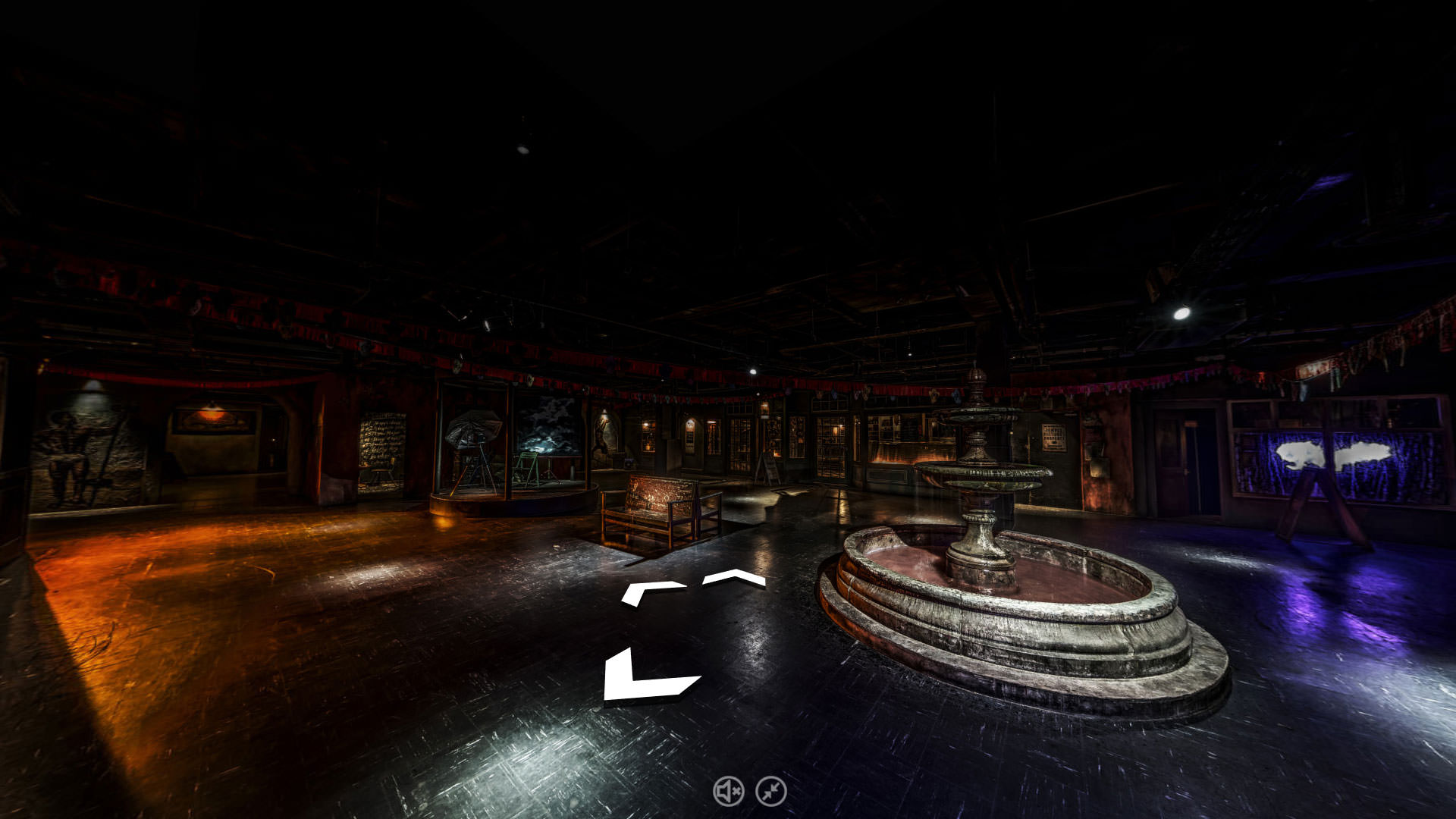
Chevron Navigation Hotspot Example – Scene from Punchdrunk Virtual Tour
[/vc_column_text][nectar_btn size=”small” button_style=”regular” button_color_2=”Accent-Color” icon_family=”none” text=”Get a Quote” margin_top=”20″ margin_left=”20″ url=”https://streetvisit.com/virtual-tour-quote/”][/vc_column][/vc_row][vc_row type=”full_width_background” full_screen_row_position=”middle” column_margin=”default” column_direction=”default” column_direction_tablet=”default” column_direction_phone=”default” bg_image=”8542″ bg_position=”left top” bg_repeat=”no-repeat” scene_position=”center” text_color=”dark” text_align=”left” row_border_radius=”none” row_border_radius_applies=”bg” overlay_strength=”0.3″ gradient_direction=”left_to_right” shape_divider_position=”bottom” bg_image_animation=”none” parallax_bg=”true” parallax_bg_speed=”fast”][vc_column column_padding=”no-extra-padding” column_padding_tablet=”inherit” column_padding_phone=”inherit” column_padding_position=”all” top_margin=”50″ bottom_margin=”50″ background_color_opacity=”1″ background_hover_color_opacity=”1″ column_shadow=”none” column_border_radius=”none” column_link_target=”_self” gradient_direction=”left_to_right” overlay_strength=”0.3″ width=”1/3″ tablet_width_inherit=”default” tablet_text_alignment=”default” phone_text_alignment=”default” column_border_width=”none” column_border_style=”solid” bg_image_animation=”none”][vc_column_text]Panoramic Photography is usually the first step in creating any virtual tour, capturing a location in 360 degrees.The capture process involves a number of different methods and techniques depending on the exact project requirements.
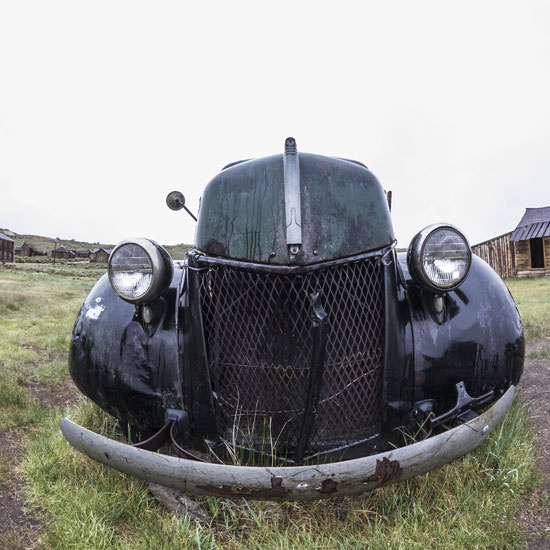
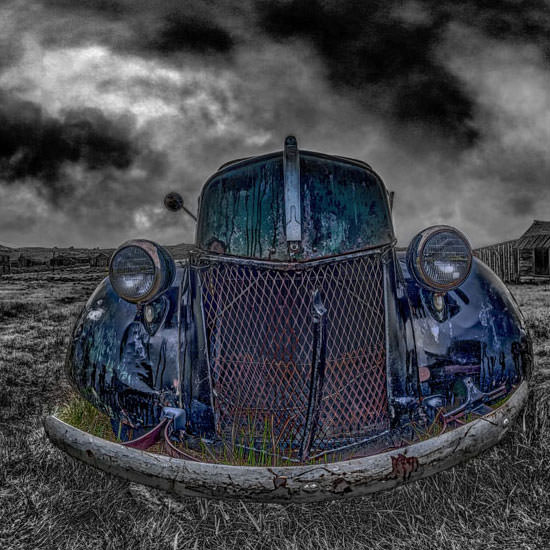
Fisheye lenses with fields of view between 110 and 180 degrees capture images in a four step rotation. These four steps or North, East, South and West positions allow sufficient overlap for image stitching.[/vc_column_text][/vc_column][vc_column column_padding=”no-extra-padding” column_padding_tablet=”inherit” column_padding_phone=”inherit” column_padding_position=”all” background_color_opacity=”1″ background_hover_color_opacity=”1″ column_shadow=”none” column_border_radius=”none” column_link_target=”_self” gradient_direction=”left_to_right” overlay_strength=”0.3″ width=”2/3″ tablet_width_inherit=”default” tablet_text_alignment=”default” phone_text_alignment=”default” column_border_width=”none” column_border_style=”solid” bg_image_animation=”none”][/vc_column][/vc_row][vc_row type=”in_container” full_screen_row_position=”middle” column_margin=”default” column_direction=”default” column_direction_tablet=”default” column_direction_phone=”default” scene_position=”center” top_padding=”10″ text_color=”dark” text_align=”left” row_border_radius=”none” row_border_radius_applies=”bg” overlay_strength=”0.3″ gradient_direction=”left_to_right” shape_divider_position=”bottom” bg_image_animation=”none”][vc_column column_padding=”no-extra-padding” column_padding_tablet=”inherit” column_padding_phone=”inherit” column_padding_position=”all” background_color_opacity=”1″ background_hover_color_opacity=”1″ column_shadow=”none” column_border_radius=”none” column_link_target=”_self” gradient_direction=”left_to_right” overlay_strength=”0.3″ width=”1/1″ tablet_width_inherit=”default” tablet_text_alignment=”default” phone_text_alignment=”default” column_border_width=”none” column_border_style=”solid” bg_image_animation=”none”][divider line_type=”Full Width Line” line_thickness=”1″ divider_color=”default”][/vc_column][/vc_row][vc_row type=”in_container” full_screen_row_position=”middle” column_margin=”default” column_direction=”default” column_direction_tablet=”default” column_direction_phone=”default” scene_position=”center” text_color=”dark” text_align=”left” row_border_radius=”none” row_border_radius_applies=”bg” overlay_strength=”0.3″ gradient_direction=”left_to_right” shape_divider_position=”bottom” bg_image_animation=”none”][vc_column column_padding=”padding-10-percent” column_padding_tablet=”inherit” column_padding_phone=”inherit” column_padding_position=”right” background_color_opacity=”1″ background_hover_color_opacity=”1″ column_shadow=”none” column_border_radius=”none” column_link_target=”_self” gradient_direction=”left_to_right” overlay_strength=”0.3″ width=”2/3″ tablet_width_inherit=”default” tablet_text_alignment=”default” phone_text_alignment=”default” column_border_width=”none” column_border_style=”solid” bg_image_animation=”none”][heading]HDR Capture & Processing[/heading][vc_column_text]In each position multiple bracketed exposures are also normally taken, dependent on subject matter. These consist of 3 to 7 images, each having a range in exposure of between 1 and 2 stops. Exposure Fusion or True HDR techniques combine images to create High Dynamic Range (HDR) digital composites.
Exposure Fusion blends the best exposed pixels producing an image with a dynamic range similar to our natural vision.
True HDR provides control over parameters such as ‘tone map settings’ allowing greater control in overall image styling.[/vc_column_text][/vc_column][vc_column column_padding=”no-extra-padding” column_padding_tablet=”inherit” column_padding_phone=”inherit” column_padding_position=”all” centered_text=”true” background_color_opacity=”1″ background_hover_color_opacity=”1″ column_shadow=”none” column_border_radius=”none” column_link_target=”_self” gradient_direction=”left_to_right” overlay_strength=”0.3″ width=”1/3″ tablet_width_inherit=”default” tablet_text_alignment=”default” phone_text_alignment=”default” column_border_width=”none” column_border_style=”solid” bg_image_animation=”none”][nectar_image_comparison image_url=”8569″ image_2_url=”8570″][vc_column_text]
Bodie Historic park panorama processed with True HDR
[/vc_column_text][/vc_column][/vc_row][vc_row type=”in_container” full_screen_row_position=”middle” column_margin=”default” column_direction=”default” column_direction_tablet=”default” column_direction_phone=”default” scene_position=”center” top_padding=”10″ text_color=”dark” text_align=”left” row_border_radius=”none” row_border_radius_applies=”bg” overlay_strength=”0.3″ gradient_direction=”left_to_right” shape_divider_position=”bottom” bg_image_animation=”none”][vc_column column_padding=”no-extra-padding” column_padding_tablet=”inherit” column_padding_phone=”inherit” column_padding_position=”all” background_color_opacity=”1″ background_hover_color_opacity=”1″ column_shadow=”none” column_border_radius=”none” column_link_target=”_self” gradient_direction=”left_to_right” overlay_strength=”0.3″ width=”1/1″ tablet_width_inherit=”default” tablet_text_alignment=”default” phone_text_alignment=”default” column_border_width=”none” column_border_style=”solid” bg_image_animation=”none”][divider line_type=”Full Width Line” line_thickness=”1″ divider_color=”default”][/vc_column][/vc_row][vc_row type=”in_container” full_screen_row_position=”middle” column_margin=”default” column_direction=”default” column_direction_tablet=”default” column_direction_phone=”default” scene_position=”center” text_color=”dark” text_align=”left” row_border_radius=”none” row_border_radius_applies=”bg” overlay_strength=”0.3″ gradient_direction=”left_to_right” shape_divider_position=”bottom” bg_image_animation=”none”][vc_column column_padding=”no-extra-padding” column_padding_tablet=”inherit” column_padding_phone=”inherit” column_padding_position=”all” background_color_opacity=”1″ background_hover_color_opacity=”1″ column_shadow=”none” column_border_radius=”none” column_link_target=”_self” gradient_direction=”left_to_right” overlay_strength=”0.3″ width=”1/4″ tablet_width_inherit=”default” tablet_text_alignment=”default” phone_text_alignment=”default” column_border_width=”none” column_border_style=”solid” bg_image_animation=”none”][nectar_image_comparison image_url=”8577″ image_2_url=”8578″][/vc_column][vc_column column_padding=”no-extra-padding” column_padding_tablet=”inherit” column_padding_phone=”inherit” column_padding_position=”all” background_color_opacity=”1″ background_hover_color_opacity=”1″ column_shadow=”none” column_border_radius=”none” column_link_target=”_self” gradient_direction=”left_to_right” overlay_strength=”0.3″ width=”3/4″ tablet_width_inherit=”default” tablet_text_alignment=”default” phone_text_alignment=”default” column_border_width=”none” column_border_style=”solid” bg_image_animation=”none”][heading]Nadir Patching[/heading][vc_column_text]When stitching individual images together the resulting panorama includes an area known as the nadir. Patching or removal of the tripod from the nadir completes the panorama.[/vc_column_text][/vc_column][/vc_row][vc_row type=”in_container” full_screen_row_position=”middle” column_margin=”default” column_direction=”default” column_direction_tablet=”default” column_direction_phone=”default” scene_position=”center” top_padding=”10″ text_color=”dark” text_align=”left” row_border_radius=”none” row_border_radius_applies=”bg” overlay_strength=”0.3″ gradient_direction=”left_to_right” shape_divider_position=”bottom” bg_image_animation=”none”][vc_column column_padding=”no-extra-padding” column_padding_tablet=”inherit” column_padding_phone=”inherit” column_padding_position=”all” background_color_opacity=”1″ background_hover_color_opacity=”1″ column_shadow=”none” column_border_radius=”none” column_link_target=”_self” gradient_direction=”left_to_right” overlay_strength=”0.3″ width=”1/1″ tablet_width_inherit=”default” tablet_text_alignment=”default” phone_text_alignment=”default” column_border_width=”none” column_border_style=”solid” bg_image_animation=”none”][divider line_type=”Full Width Line” line_thickness=”1″ divider_color=”default”][/vc_column][/vc_row][vc_row type=”full_width_background” full_screen_row_position=”middle” column_margin=”default” column_direction=”default” column_direction_tablet=”default” column_direction_phone=”default” bg_image=”7441″ bg_position=”left top” bg_repeat=”no-repeat” scene_position=”center” top_padding=”50″ bottom_padding=”50″ text_color=”dark” text_align=”left” row_border_radius=”none” row_border_radius_applies=”bg” overlay_strength=”0.3″ gradient_direction=”left_to_right” shape_divider_position=”bottom” bg_image_animation=”none” parallax_bg=”true” parallax_bg_speed=”fast”][vc_column column_padding=”padding-1-percent” column_padding_tablet=”inherit” column_padding_phone=”inherit” column_padding_position=”all” background_color_opacity=”1″ background_hover_color_opacity=”1″ column_shadow=”none” column_border_radius=”none” column_link_target=”_self” gradient_direction=”left_to_right” overlay_strength=”0.3″ width=”1/2″ tablet_width_inherit=”default” tablet_text_alignment=”default” phone_text_alignment=”default” column_border_width=”none” column_border_style=”solid” bg_image_animation=”none”][vc_column_text]Virtual Tour Navigation
[/vc_column_text][/vc_column][vc_column column_padding=”padding-1-percent” column_padding_tablet=”inherit” column_padding_phone=”inherit” column_padding_position=”all” bottom_margin=”50″ background_color_opacity=”1″ background_hover_color_opacity=”1″ column_shadow=”none” column_border_radius=”none” column_link_target=”_self” gradient_direction=”left_to_right” overlay_strength=”0.3″ width=”1/2″ tablet_width_inherit=”default” tablet_text_alignment=”default” phone_text_alignment=”default” column_border_width=”none” column_border_style=”solid” bg_image_animation=”none”][vc_column_text]Navigation between scenes or assets is a key primary feature and achieved in a number of different ways.[/vc_column_text][/vc_column][/vc_row][vc_row type=”in_container” full_screen_row_position=”middle” column_margin=”default” column_direction=”default” column_direction_tablet=”default” column_direction_phone=”default” scene_position=”center” top_padding=”20″ text_color=”dark” text_align=”left” row_border_radius=”none” row_border_radius_applies=”bg” overlay_strength=”0.3″ gradient_direction=”left_to_right” shape_divider_position=”bottom” bg_image_animation=”none”][vc_column column_padding=”no-extra-padding” column_padding_tablet=”inherit” column_padding_phone=”inherit” column_padding_position=”all” background_color_opacity=”1″ background_hover_color_opacity=”1″ column_shadow=”none” column_border_radius=”none” column_link_target=”_self” gradient_direction=”left_to_right” overlay_strength=”0.3″ width=”1/2″ tablet_width_inherit=”default” tablet_text_alignment=”default” phone_text_alignment=”default” column_border_width=”none” column_border_style=”solid” bg_image_animation=”none”][vc_column_text]Navigation Menus
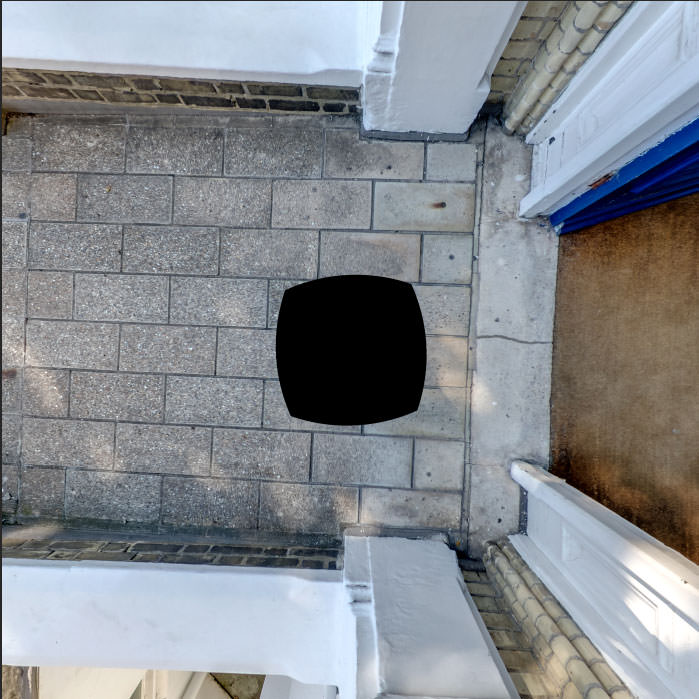
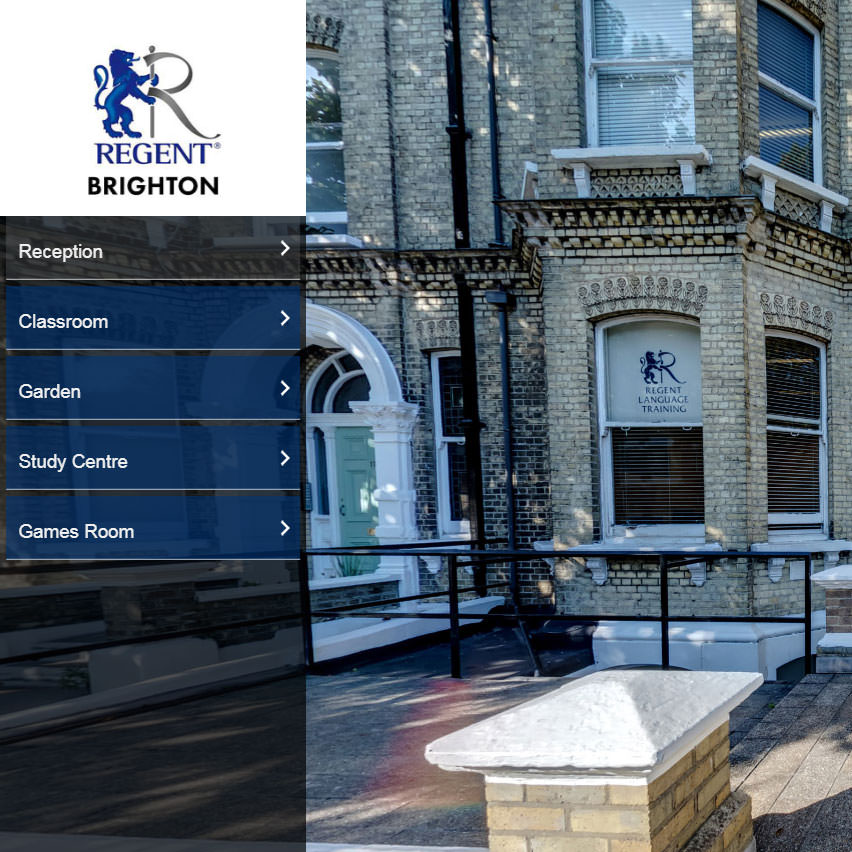
[/vc_column_text][divider line_type=”Full Width Line” line_thickness=”1″ divider_color=”default”][vc_row_inner column_margin=”default” column_direction=”default” column_direction_tablet=”default” column_direction_phone=”default” text_align=”left”][vc_column_inner column_padding=”no-extra-padding” column_padding_tablet=”inherit” column_padding_phone=”inherit” column_padding_position=”all” background_color_opacity=”1″ background_hover_color_opacity=”1″ column_shadow=”none” column_border_radius=”none” column_link_target=”_self” gradient_direction=”left_to_right” overlay_strength=”0.3″ width=”1/2″ tablet_width_inherit=”default” column_border_width=”none” column_border_style=”solid” bg_image_animation=”none”][vc_column_text]Menu navigation allows users to access scenes in the same way they might access areas of a website.Menus can include text as well as image thumbnails which provide visual queues when navigating.[/vc_column_text][/vc_column_inner][vc_column_inner column_padding=”no-extra-padding” column_padding_tablet=”inherit” column_padding_phone=”inherit” column_padding_position=”all” background_color_opacity=”1″ background_hover_color_opacity=”1″ column_shadow=”none” column_border_radius=”none” column_link_target=”_self” gradient_direction=”left_to_right” overlay_strength=”0.3″ width=”1/2″ tablet_width_inherit=”default” column_border_width=”none” column_border_style=”solid” bg_image_animation=”none”][image_with_animation image_url=”8614″ animation=”Fade In” hover_animation=”none” alignment=”” border_radius=”none” box_shadow=”none” image_loading=”default” max_width=”100%” max_width_mobile=”default”][/vc_column_inner][/vc_row_inner][divider line_type=”Full Width Line” line_thickness=”1″ divider_color=”default”][/vc_column][vc_column column_padding=”no-extra-padding” column_padding_tablet=”inherit” column_padding_phone=”inherit” column_padding_position=”all” background_color_opacity=”1″ background_hover_color_opacity=”1″ column_shadow=”none” column_border_radius=”none” column_link_target=”_self” gradient_direction=”left_to_right” overlay_strength=”0.3″ width=”1/2″ tablet_width_inherit=”default” tablet_text_alignment=”default” phone_text_alignment=”default” column_border_width=”none” column_border_style=”solid” bg_image_animation=”none”][vc_column_text]
Navigation Hotspots
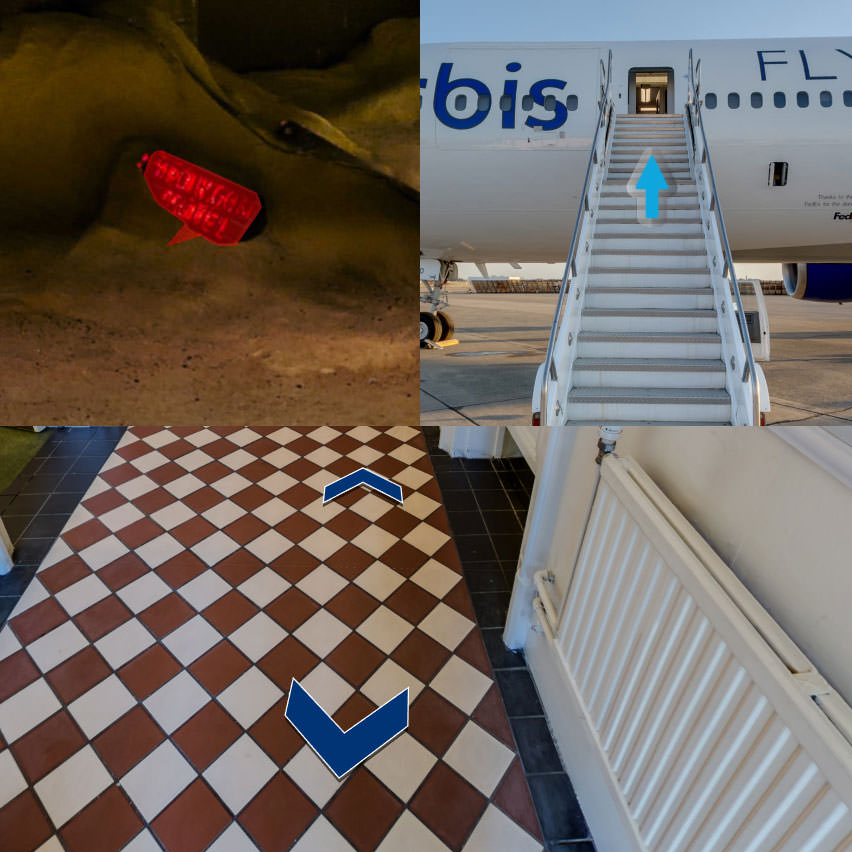
[/vc_column_text][divider line_type=”Full Width Line” line_thickness=”1″ divider_color=”default”][vc_row_inner column_margin=”default” column_direction=”default” column_direction_tablet=”default” column_direction_phone=”default” text_align=”left”][vc_column_inner column_padding=”no-extra-padding” column_padding_tablet=”inherit” column_padding_phone=”inherit” column_padding_position=”all” background_color_opacity=”1″ background_hover_color_opacity=”1″ column_shadow=”none” column_border_radius=”none” column_link_target=”_self” gradient_direction=”left_to_right” overlay_strength=”0.3″ width=”1/2″ tablet_width_inherit=”default” column_border_width=”none” column_border_style=”solid” bg_image_animation=”none”][vc_column_text]Hotspots added to the virtual tour can take numerous forms. These can include chevrons similar to those used in Google Street View or animated icons such as arrows. Adding polygon hotspots to objects within a scene is also a useful way to link to another scene. [/vc_column_text][/vc_column_inner][vc_column_inner column_padding=”no-extra-padding” column_padding_tablet=”inherit” column_padding_phone=”inherit” column_padding_position=”all” background_color_opacity=”1″ background_hover_color_opacity=”1″ column_shadow=”none” column_border_radius=”none” column_link_target=”_self” gradient_direction=”left_to_right” overlay_strength=”0.3″ width=”1/2″ tablet_width_inherit=”default” column_border_width=”none” column_border_style=”solid” bg_image_animation=”none”][image_with_animation image_url=”8613″ animation=”Fade In” hover_animation=”none” alignment=”” border_radius=”none” box_shadow=”small_depth” image_loading=”default” max_width=”100%” max_width_mobile=”default”][/vc_column_inner][/vc_row_inner][divider line_type=”Full Width Line” line_thickness=”1″ divider_color=”default”][/vc_column][/vc_row][vc_row type=”in_container” full_screen_row_position=”middle” column_margin=”default” column_direction=”default” column_direction_tablet=”default” column_direction_phone=”default” scene_position=”center” text_color=”dark” text_align=”left” row_border_radius=”none” row_border_radius_applies=”bg” overlay_strength=”0.3″ gradient_direction=”left_to_right” shape_divider_position=”bottom” bg_image_animation=”none”][vc_column column_padding=”no-extra-padding” column_padding_tablet=”inherit” column_padding_phone=”inherit” column_padding_position=”all” background_color_opacity=”1″ background_hover_color_opacity=”1″ column_shadow=”none” column_border_radius=”none” column_link_target=”_self” gradient_direction=”left_to_right” overlay_strength=”0.3″ width=”1/2″ tablet_width_inherit=”default” tablet_text_alignment=”default” phone_text_alignment=”default” column_border_width=”none” column_border_style=”solid” bg_image_animation=”none”][vc_column_text]Auto Navigation
[/vc_column_text][divider line_type=”Full Width Line” line_thickness=”1″ divider_color=”default”][vc_row_inner column_margin=”default” column_direction=”default” column_direction_tablet=”default” column_direction_phone=”default” text_align=”left”][vc_column_inner column_padding=”no-extra-padding” column_padding_tablet=”inherit” column_padding_phone=”inherit” column_padding_position=”all” background_color_opacity=”1″ background_hover_color_opacity=”1″ column_shadow=”none” column_border_radius=”none” column_link_target=”_self” gradient_direction=”left_to_right” overlay_strength=”0.3″ width=”1/2″ tablet_width_inherit=”default” column_border_width=”none” column_border_style=”solid” bg_image_animation=”none”][vc_column_text]Events driven logic or internal timers allow for automatic navigation. The combination of both events and timer based navigation provides enormous scope in project creation capabilities.[/vc_column_text][/vc_column_inner][vc_column_inner column_padding=”no-extra-padding” column_padding_tablet=”inherit” column_padding_phone=”inherit” column_padding_position=”all” background_color_opacity=”1″ background_hover_color_opacity=”1″ column_shadow=”none” column_border_radius=”none” column_link_target=”_self” gradient_direction=”left_to_right” overlay_strength=”0.3″ width=”1/2″ tablet_width_inherit=”default” column_border_width=”none” column_border_style=”solid” bg_image_animation=”none”][image_with_animation image_url=”8615″ animation=”Fade In” hover_animation=”none” alignment=”” border_radius=”none” box_shadow=”medium_depth” image_loading=”default” max_width=”100%” max_width_mobile=”default”][/vc_column_inner][/vc_row_inner][divider line_type=”Full Width Line” line_thickness=”1″ divider_color=”default”][/vc_column][vc_column column_padding=”no-extra-padding” column_padding_tablet=”inherit” column_padding_phone=”inherit” column_padding_position=”all” background_color_opacity=”1″ background_hover_color_opacity=”1″ column_shadow=”none” column_border_radius=”none” column_link_target=”_self” gradient_direction=”left_to_right” overlay_strength=”0.3″ width=”1/2″ tablet_width_inherit=”default” tablet_text_alignment=”default” phone_text_alignment=”default” column_border_width=”none” column_border_style=”solid” bg_image_animation=”none”][vc_column_text]Floor plans & Maps
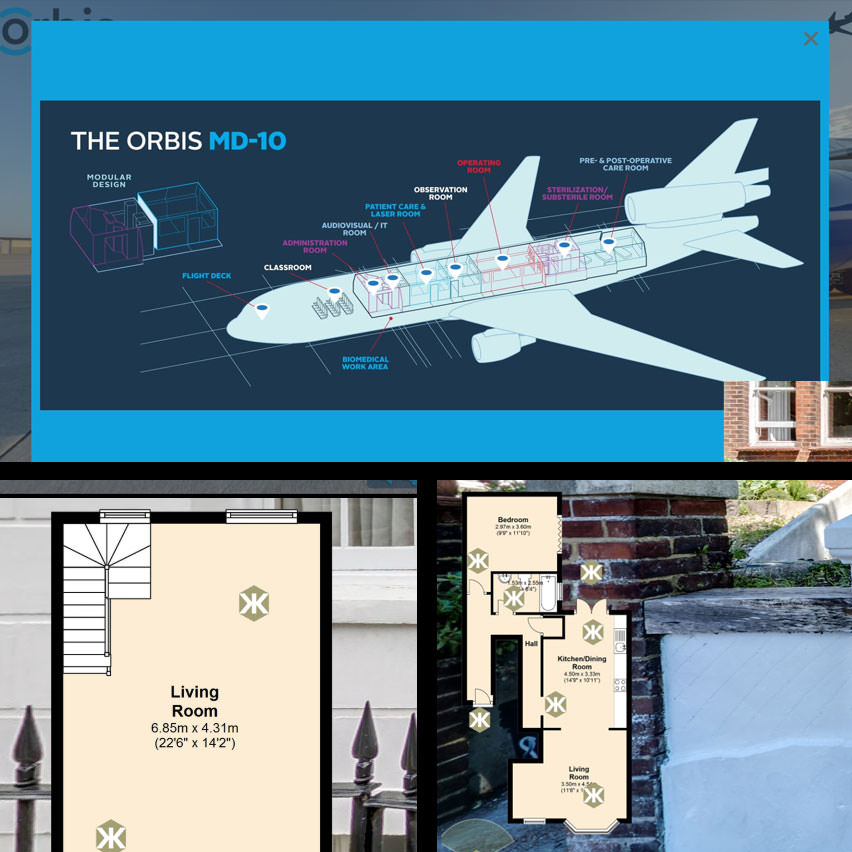
[/vc_column_text][divider line_type=”Full Width Line” line_thickness=”1″ divider_color=”default”][vc_row_inner column_margin=”default” column_direction=”default” column_direction_tablet=”default” column_direction_phone=”default” text_align=”left”][vc_column_inner column_padding=”no-extra-padding” column_padding_tablet=”inherit” column_padding_phone=”inherit” column_padding_position=”all” background_color_opacity=”1″ background_hover_color_opacity=”1″ column_shadow=”none” column_border_radius=”none” column_link_target=”_self” gradient_direction=”left_to_right” overlay_strength=”0.3″ width=”1/2″ tablet_width_inherit=”default” column_border_width=”none” column_border_style=”solid” bg_image_animation=”none”][vc_column_text]Floor plans or maps are another way a user can orient themselves within a virtual tour. By providing the use of a map users can see where they are, where they’ve been and where else they can go. Floor plans and maps are incredibly useful to aid with navigation especially for larger tours or those which have separated non line of sight navigation between panoramas. [/vc_column_text][/vc_column_inner][vc_column_inner column_padding=”no-extra-padding” column_padding_tablet=”inherit” column_padding_phone=”inherit” column_padding_position=”all” background_color_opacity=”1″ background_hover_color_opacity=”1″ column_shadow=”none” column_border_radius=”none” column_link_target=”_self” gradient_direction=”left_to_right” overlay_strength=”0.3″ width=”1/2″ tablet_width_inherit=”default” column_border_width=”none” column_border_style=”solid” bg_image_animation=”none”][image_with_animation image_url=”8612″ animation=”Fade In” hover_animation=”none” alignment=”” border_radius=”none” box_shadow=”large_depth” image_loading=”default” max_width=”100%” max_width_mobile=”default”][/vc_column_inner][/vc_row_inner][divider line_type=”Full Width Line” line_thickness=”1″ divider_color=”default”][/vc_column][/vc_row][vc_row type=”full_width_background” full_screen_row_position=”middle” column_margin=”default” column_direction=”default” column_direction_tablet=”default” column_direction_phone=”default” bg_image=”7622″ bg_position=”center top” bg_repeat=”no-repeat” scene_position=”center” top_padding=”20″ bottom_padding=”20″ text_color=”dark” text_align=”left” row_border_radius=”none” row_border_radius_applies=”bg” overlay_strength=”0.3″ gradient_direction=”left_to_right” shape_divider_position=”bottom” bg_image_animation=”none” parallax_bg=”true” parallax_bg_speed=”fast”][vc_column column_padding=”no-extra-padding” column_padding_tablet=”inherit” column_padding_phone=”inherit” column_padding_position=”all” background_color_opacity=”1″ background_hover_color_opacity=”1″ column_shadow=”none” column_border_radius=”none” column_link_target=”_self” gradient_direction=”left_to_right” overlay_strength=”0.3″ width=”1/2″ tablet_width_inherit=”default” tablet_text_alignment=”default” phone_text_alignment=”default” column_border_width=”none” column_border_style=”solid” bg_image_animation=”none”][/vc_column][vc_column column_padding=”padding-5-percent” column_padding_tablet=”inherit” column_padding_phone=”inherit” column_padding_position=”all” background_color=”rgba(255,255,255,0.5)” background_color_opacity=”1″ background_hover_color_opacity=”1″ column_shadow=”none” column_border_radius=”none” column_link_target=”_self” boxed=”true” gradient_direction=”left_to_right” overlay_strength=”0.3″ width=”1/2″ tablet_width_inherit=”default” tablet_text_alignment=”default” phone_text_alignment=”default” column_border_width=”none” column_border_style=”solid” bg_image_animation=”none”][vc_column_text]Virtual Tour Hotspot Features
[/vc_column_text][/vc_column][/vc_row][vc_row type=”full_width_background” full_screen_row_position=”middle” column_margin=”default” equal_height=”yes” column_direction=”default” column_direction_tablet=”default” column_direction_phone=”default” scene_position=”center” top_padding=”50″ text_color=”dark” text_align=”left” row_border_radius=”none” row_border_radius_applies=”bg” overlay_strength=”0.3″ gradient_direction=”left_to_right” shape_divider_position=”bottom” bg_image_animation=”none”][vc_column column_padding=”no-extra-padding” column_padding_tablet=”inherit” column_padding_phone=”inherit” column_padding_position=”all” background_color_opacity=”1″ background_hover_color_opacity=”1″ column_shadow=”none” column_border_radius=”none” column_link_target=”_self” gradient_direction=”left_to_right” overlay_strength=”0.3″ width=”1/3″ tablet_width_inherit=”default” tablet_text_alignment=”default” phone_text_alignment=”default” column_border_width=”none” column_border_style=”solid” bg_image_animation=”none”][text-with-icon icon_type=”font_icon” icon=”icon-plus-sign” color=”Accent-Color”]Standard Hotspots
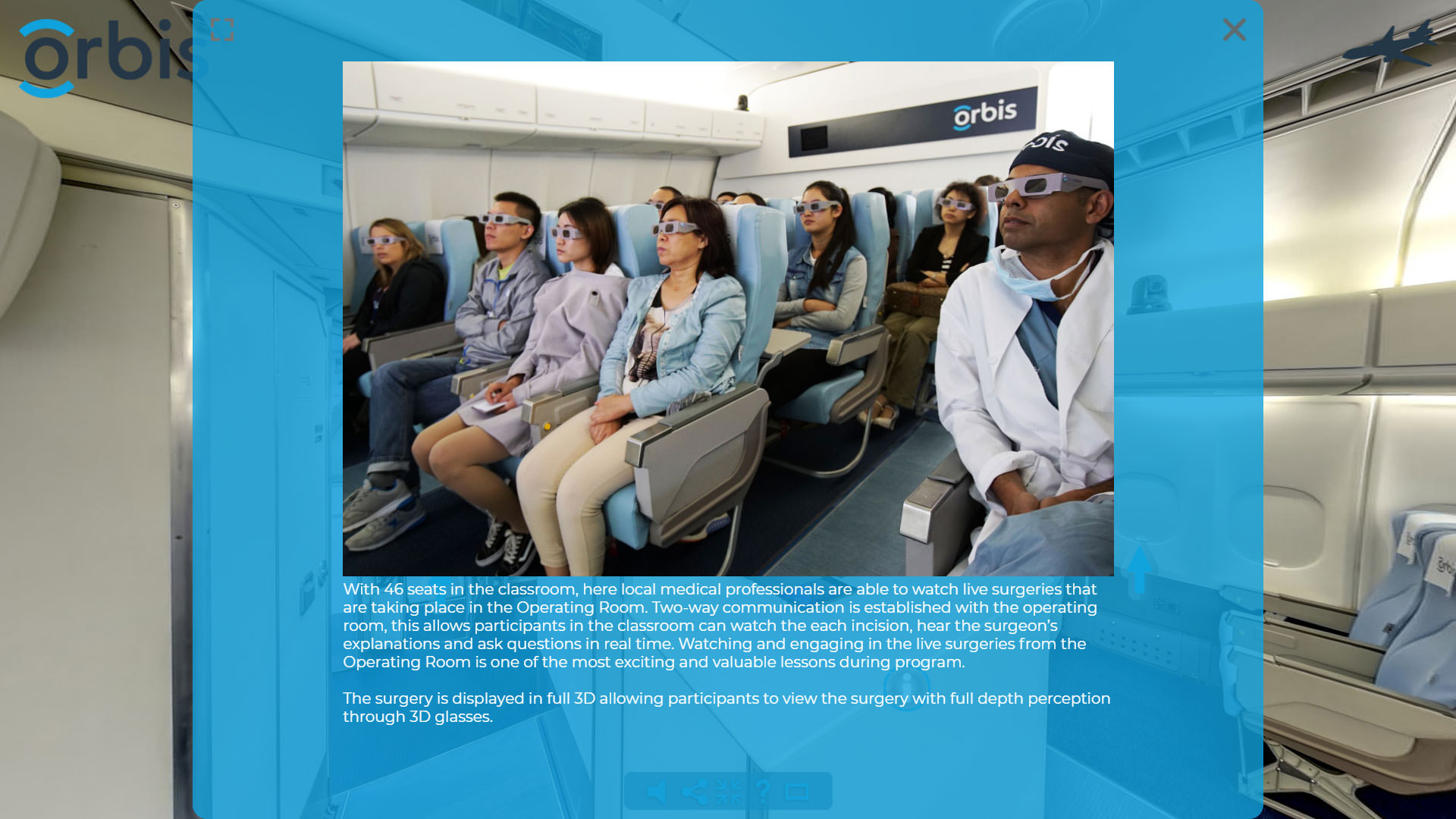
Images anchored within a virtual tour scene, not overlaid on it, with functionality similar to a button. Animation of these images is also posssible.[/text-with-icon][/vc_column][vc_column column_padding=”no-extra-padding” column_padding_tablet=”inherit” column_padding_phone=”inherit” column_padding_position=”all” background_color_opacity=”1″ background_hover_color_opacity=”1″ column_shadow=”none” column_border_radius=”none” column_link_target=”_self” gradient_direction=”left_to_right” overlay_strength=”0.3″ width=”1/3″ tablet_width_inherit=”default” tablet_text_alignment=”default” phone_text_alignment=”default” column_border_width=”none” column_border_style=”solid” bg_image_animation=”none”][text-with-icon icon_type=”font_icon” icon=”fa fa-themeisle” color=”Accent-Color”]
Polygon Hotspots
Polygon shapes defined by multiple anchor points within the scene. Normally drawn around objects or areas creating interactive zones which can trigger events when clicked or on mouseover. Color overlays used to style these areas can be ‘always on’ or triggered by events such as mouseover.[/text-with-icon][/vc_column][vc_column column_padding=”no-extra-padding” column_padding_tablet=”inherit” column_padding_phone=”inherit” column_padding_position=”all” background_color_opacity=”1″ background_hover_color_opacity=”1″ column_shadow=”none” column_border_radius=”none” column_link_target=”_self” gradient_direction=”left_to_right” overlay_strength=”0.3″ width=”1/3″ tablet_width_inherit=”default” tablet_text_alignment=”default” phone_text_alignment=”default” column_border_width=”none” column_border_style=”solid” bg_image_animation=”none”][text-with-icon icon_type=”font_icon” icon=”icon-picture” color=”Accent-Color”]
Image Hotspots
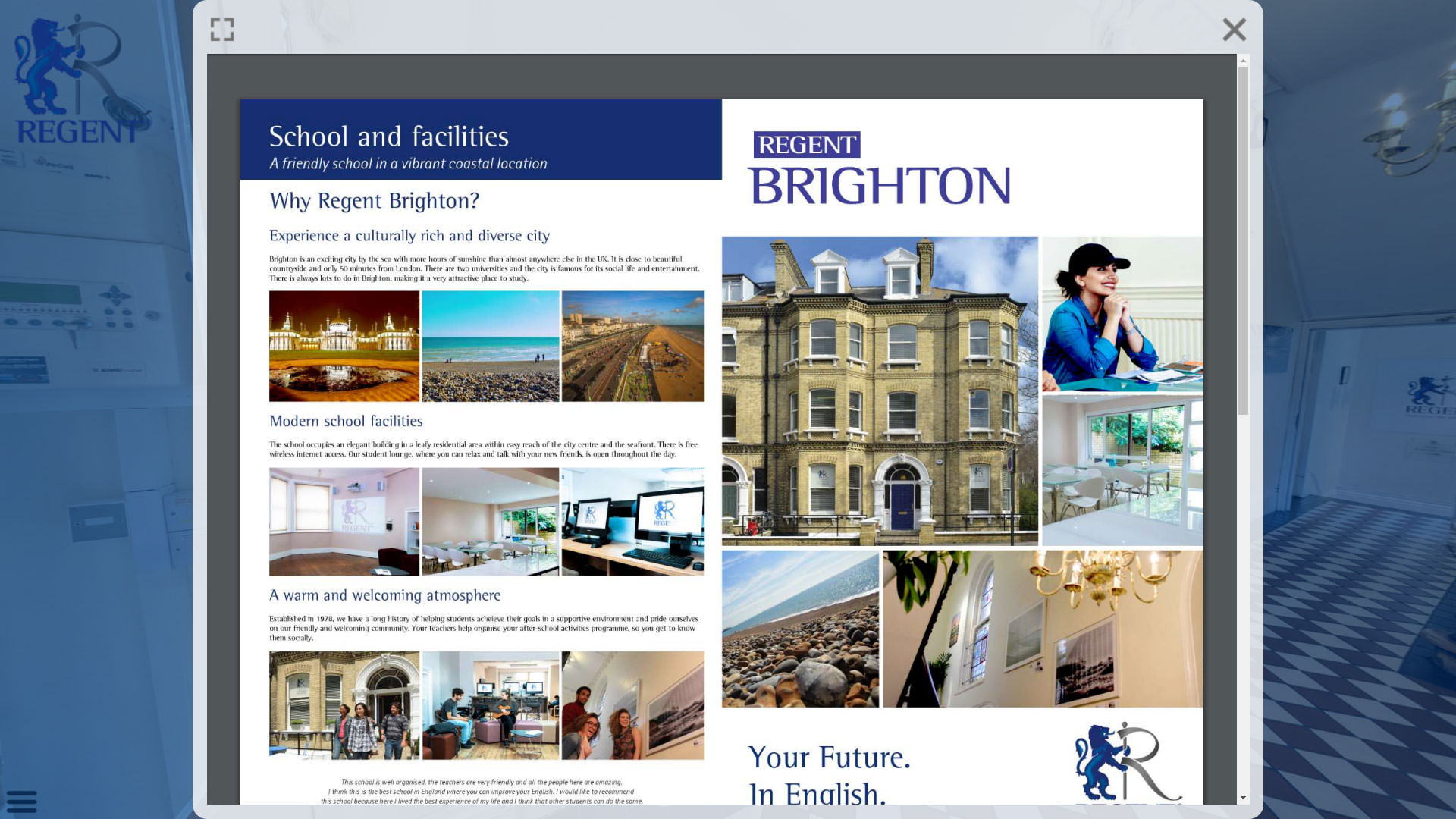
Images such as posters or graphics, distorted and placed in situ in the virtual tour scene. They appear as if they are in screen, in frame or placed on a wall or surface.[/text-with-icon][/vc_column][/vc_row][vc_row type=”full_width_background” full_screen_row_position=”middle” column_margin=”default” equal_height=”yes” column_direction=”default” column_direction_tablet=”default” column_direction_phone=”default” scene_position=”center” top_padding=”50″ bottom_padding=”50″ text_color=”dark” text_align=”left” row_border_radius=”none” row_border_radius_applies=”bg” overlay_strength=”0.3″ gradient_direction=”left_to_right” shape_divider_position=”bottom” bg_image_animation=”none”][vc_column column_padding=”no-extra-padding” column_padding_tablet=”inherit” column_padding_phone=”inherit” column_padding_position=”all” background_color_opacity=”1″ background_hover_color_opacity=”1″ column_shadow=”none” column_border_radius=”none” column_link_target=”_self” gradient_direction=”left_to_right” overlay_strength=”0.3″ width=”1/3″ tablet_width_inherit=”default” tablet_text_alignment=”default” phone_text_alignment=”default” column_border_width=”none” column_border_style=”solid” bg_image_animation=”none”][text-with-icon icon_type=”font_icon” icon=”icon-facetime-video” color=”Accent-Color”]
Video Hotspots
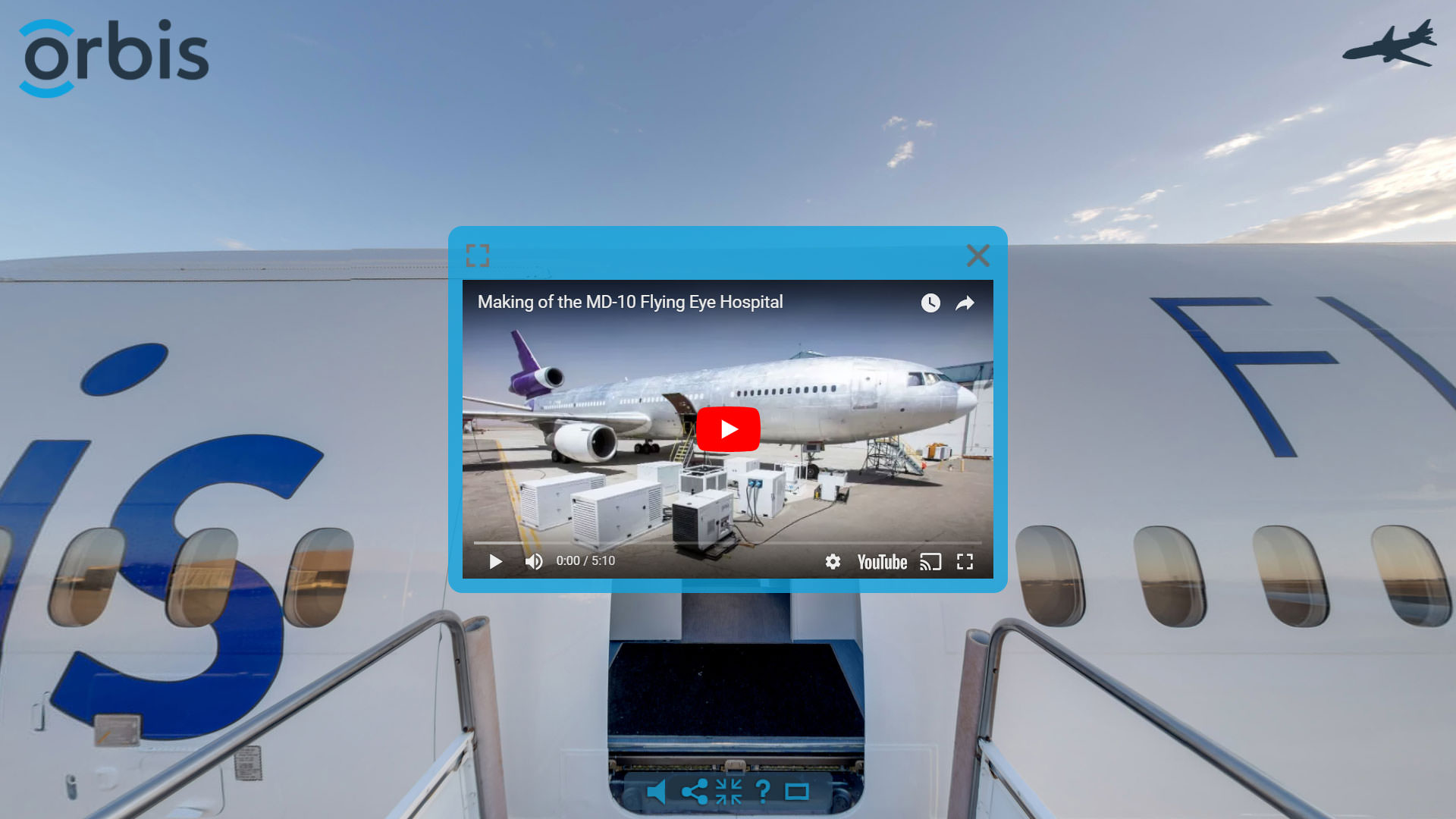
One of the ways to include video within the virtual tour is through the use of a video hotspot. The distorted video appears as if it is playing in screen or on a flat surface such as a wall.[/text-with-icon][/vc_column][vc_column column_padding=”no-extra-padding” column_padding_tablet=”inherit” column_padding_phone=”inherit” column_padding_position=”all” background_color_opacity=”1″ background_hover_color_opacity=”1″ column_shadow=”none” column_border_radius=”none” column_link_target=”_self” gradient_direction=”left_to_right” overlay_strength=”0.3″ width=”1/3″ tablet_width_inherit=”default” tablet_text_alignment=”default” phone_text_alignment=”default” column_border_width=”none” column_border_style=”solid” bg_image_animation=”none”][text-with-icon icon_type=”font_icon” icon=”icon-volume-up” color=”Accent-Color”]
Sound Hotspots
The virtual tour can include scene specific sound hotspots with adjustable volume and field of view.Within the sound hotspot field of view the sounds are audible with volume ramping down as a user looks away.Small field of view for sound hotspots can be useful when creating hidden content within the tour.[/text-with-icon][/vc_column][vc_column column_padding=”no-extra-padding” column_padding_tablet=”inherit” column_padding_phone=”inherit” column_padding_position=”all” background_color_opacity=”1″ background_hover_color_opacity=”1″ column_shadow=”none” column_border_radius=”none” column_link_target=”_self” gradient_direction=”left_to_right” overlay_strength=”0.3″ width=”1/3″ tablet_width_inherit=”default” tablet_text_alignment=”default” phone_text_alignment=”default” column_border_width=”none” column_border_style=”solid” bg_image_animation=”none”][text-with-icon icon_type=”font_icon” icon=”icon-code” color=”Accent-Color”]
HTML Hotspots
Distorted web content is placed on a surface within the virtual tour scene such as an open laptop, television or wall. The user can interact with the web content as they would in a real world environment, clicking on links and scrolling.[/text-with-icon][/vc_column][/vc_row][vc_row type=”full_width_background” full_screen_row_position=”middle” column_margin=”default” column_direction=”default” column_direction_tablet=”default” column_direction_phone=”default” bg_image=”8648″ bg_position=”left top” bg_repeat=”no-repeat” scene_position=”center” text_color=”dark” text_align=”left” row_border_radius=”none” row_border_radius_applies=”bg” overlay_strength=”0.3″ gradient_direction=”left_to_right” shape_divider_position=”bottom” bg_image_animation=”none” parallax_bg=”true” parallax_bg_speed=”fast”][vc_column column_padding=”padding-5-percent” column_padding_tablet=”inherit” column_padding_phone=”inherit” column_padding_position=”all” background_color_opacity=”1″ background_hover_color_opacity=”1″ column_shadow=”none” column_border_radius=”none” column_link_target=”_self” gradient_direction=”left_to_right” overlay_strength=”0.3″ width=”1/1″ tablet_width_inherit=”default” tablet_text_alignment=”default” phone_text_alignment=”default” column_border_width=”none” column_border_style=”solid” bg_image_animation=”none”][vc_column_text]
Additional Virtual Tour Features
[/vc_column_text][/vc_column][/vc_row][vc_row type=”in_container” full_screen_row_position=”middle” column_margin=”default” column_direction=”default” column_direction_tablet=”default” column_direction_phone=”default” scene_position=”center” top_padding=”50″ text_color=”dark” text_align=”left” row_border_radius=”none” row_border_radius_applies=”bg” overlay_strength=”0.3″ gradient_direction=”left_to_right” shape_divider_position=”bottom” bg_image_animation=”none”][vc_column column_padding=”no-extra-padding” column_padding_tablet=”inherit” column_padding_phone=”inherit” column_padding_position=”all” background_color_opacity=”1″ background_hover_color_opacity=”1″ column_shadow=”none” column_border_radius=”none” column_link_target=”_self” gradient_direction=”left_to_right” overlay_strength=”0.3″ width=”1/4″ tablet_width_inherit=”default” tablet_text_alignment=”default” phone_text_alignment=”default” column_border_width=”none” column_border_style=”solid” bg_image_animation=”none”][text-with-icon icon_type=”font_icon” icon=”icon-lock” color=”Accent-Color”]Virtual Tour Access
Virtual tours can have username and passwords added preventing unauthorised access. A useful feature if parts of the tour contain sensitive information or content.[/text-with-icon][/vc_column][vc_column column_padding=”no-extra-padding” column_padding_tablet=”inherit” column_padding_phone=”inherit” column_padding_position=”all” background_color_opacity=”1″ background_hover_color_opacity=”1″ column_shadow=”none” column_border_radius=”none” column_link_target=”_self” gradient_direction=”left_to_right” overlay_strength=”0.3″ width=”1/4″ tablet_width_inherit=”default” tablet_text_alignment=”default” phone_text_alignment=”default” column_border_width=”none” column_border_style=”solid” bg_image_animation=”none”][text-with-icon icon_type=”font_icon” icon=”fa fa-toggle-on” color=”Accent-Color”]
Control Bars
Control bars are a useful virtual tour feature which can control tour interactions such as movement or zoom levels. They are also used to trigger other virtual tour elements such as Floorplans and VR mode.[/text-with-icon][/vc_column][vc_column column_padding=”no-extra-padding” column_padding_tablet=”inherit” column_padding_phone=”inherit” column_padding_position=”all” background_color_opacity=”1″ background_hover_color_opacity=”1″ column_shadow=”none” column_border_radius=”none” column_link_target=”_self” gradient_direction=”left_to_right” overlay_strength=”0.3″ width=”1/4″ tablet_width_inherit=”default” tablet_text_alignment=”default” phone_text_alignment=”default” column_border_width=”none” column_border_style=”solid” bg_image_animation=”none”][text-with-icon icon_type=”font_icon” icon=”icon-sign-blank” color=”Accent-Color”]
Buttons
Buttons are similar in some ways to control bars which are effectively a series of buttons with set functions. Individual buttons can have customised functions and designs depending on the tour requirements.[/text-with-icon][/vc_column][vc_column column_padding=”no-extra-padding” column_padding_tablet=”inherit” column_padding_phone=”inherit” column_padding_position=”all” background_color_opacity=”1″ background_hover_color_opacity=”1″ column_shadow=”none” column_border_radius=”none” column_link_target=”_self” gradient_direction=”left_to_right” overlay_strength=”0.3″ width=”1/4″ tablet_width_inherit=”default” tablet_text_alignment=”default” phone_text_alignment=”default” column_border_width=”none” column_border_style=”solid” bg_image_animation=”none”][text-with-icon icon_type=”font_icon” icon=”icon-magic” color=”Accent-Color”]
Effects
Scenes can have animated effects such as rain or snow added to them as well as image masks. Scene to scene transitions such as cross fades, zoom to or color blending are also added.[/text-with-icon][/vc_column][vc_column column_padding=”no-extra-padding” column_padding_tablet=”inherit” column_padding_phone=”inherit” column_padding_position=”all” background_color_opacity=”1″ background_hover_color_opacity=”1″ column_shadow=”none” column_border_radius=”none” column_link_target=”_self” gradient_direction=”left_to_right” overlay_strength=”0.3″ width=”1/1″ tablet_width_inherit=”default” tablet_text_alignment=”default” phone_text_alignment=”default” column_border_width=”none” column_border_style=”solid” bg_image_animation=”none”][divider line_type=”Full Width Line” line_thickness=”1″ divider_color=”default”][/vc_column][/vc_row][vc_row type=”full_width_background” full_screen_row_position=”middle” column_margin=”default” column_direction=”default” column_direction_tablet=”default” column_direction_phone=”default” bg_image=”8673″ bg_position=”center top” bg_repeat=”no-repeat” scene_position=”center” text_color=”dark” text_align=”left” row_border_radius=”none” row_border_radius_applies=”bg” overlay_strength=”0.3″ gradient_direction=”left_to_right” shape_divider_position=”bottom” bg_image_animation=”none” parallax_bg=”true” parallax_bg_speed=”fast”][vc_column column_padding=”padding-5-percent” column_padding_tablet=”inherit” column_padding_phone=”inherit” column_padding_position=”all” background_color_opacity=”1″ background_hover_color_opacity=”1″ column_shadow=”none” column_border_radius=”none” column_link_target=”_self” gradient_direction=”left_to_right” overlay_strength=”0.3″ width=”1/2″ tablet_width_inherit=”default” tablet_text_alignment=”default” phone_text_alignment=”default” column_border_width=”none” column_border_style=”solid” bg_image_animation=”none”][vc_column_text]